 Up and CyclingThere’s nothing stopping you.
Sixty seconds and you're up and cycling.
The easy-to-use indoor cycling app for your smart trainer, turbo trainer or smart bike. Choose a workout, follow a training plan or ride a favourite route with time and effort you can adjust to suit your day.
Coming soon
- App StoreComing soon
- Google PlayComing soon
- Microsoft StoreComing soon
Pick a ride
Choose a workout
From an easy recovery ride to challenging intervals, choose a ready-made workout to suit your day. Or select Just Ride, set your effort and pedal.
Follow a training plan
Choose a plan to help you get started, get fitter or raise your FTP—your cycling power benchmark. The app picks your next ride, and you choose when to do it. There’s no fixed calendar, and you can skip a ride or pause your plan whenever you need to.
Ride real roads
Explore the included routes, from Bavaria’s cycle routes to famous climbs, or import your own GPX file and ride a favourite outdoor route indoors.
Your ride, your way
Adjust your workout’s time and effort before you start or while you ride. Make it easier or harder, shorten it when time is tight, or add a few more minutes when you feel good.
Build your own
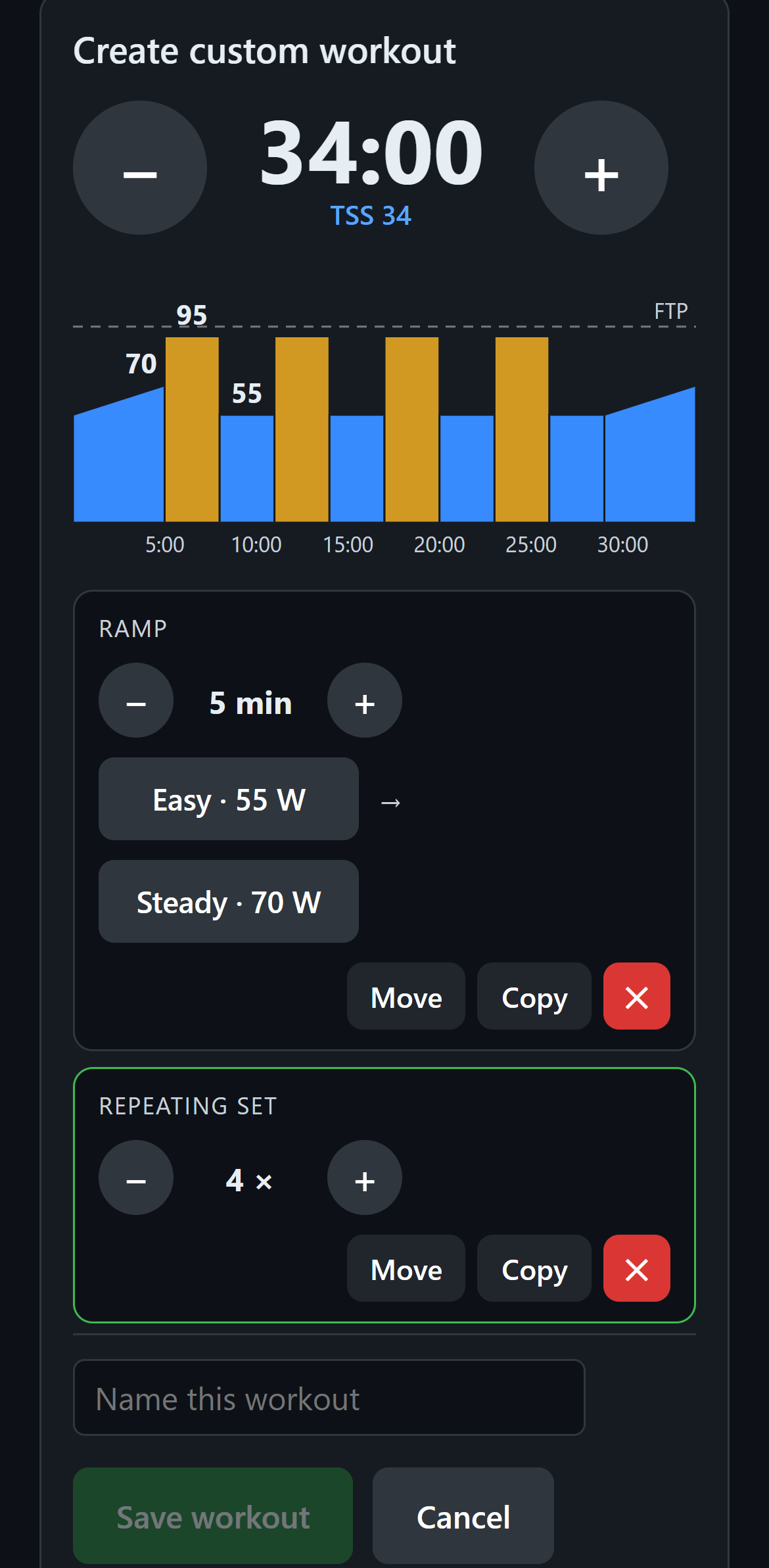
Create a workout to suit you. Choose the effort and duration for each part, then save it ready for your next ride.
Pick your effort
Six clear choices, from Easy to All out, help you build your workout. Each effort is based on your own fitness setting.
Make it yours
Combine steady efforts, gradual increases or decreases, and repeated intervals. Adjust individual parts or change the duration of the whole workout.
Save it for next time
Give your workout a name so it’s easy to find. Build as many as you like and edit them whenever you want.
What you need
Your bike or trainer
A compatible smart bike or smart trainer (a smart turbo trainer) that connects by Bluetooth and lets the app control the resistance. Riders use Up and Cycling with smart trainers and smart bikes such as the Wahoo KICKR CORE and Wattbike Atom.
It needs the standard Bluetooth connection for fitness machines (FTMS). Not every Bluetooth exercise bike has it, so your free rides are the way to check. Will it work with mine?
Your screen
Use an iPhone, iPad, Android phone or tablet, or a Windows computer. Download the app from the store for your device when available.
iPhone and iPad: iOS 15 or newer. Android: version 7 or newer.
Ride offline
Once the app is installed and ready, you don’t need an internet connection to ride. If your Wi-Fi drops, your workout carries on.
Keep it simple
No account to create. No password to remember. No adverts. No avatars, points or leaderboards: just you and your ride.
One price for your household
US$25 a year
Regional prices are shown in your app store. All features included. A whole year for a fraction of the price of the big-name indoor cycling subscriptions.
Start with ten free rides
Try Up and Cycling with your bike or trainer before buying. Use up to ten free rides within 30 days of your first ride, whichever limit you reach first. The free rides are shared by all rider profiles on that device.
Everyone gets their own rider profile
Each person has their own settings, ride history and saved workouts. One subscription covers your household on devices signed into the original purchaser’s account in the same app store.
Purchase through your device’s app store
Subscriptions do not transfer between the Apple App Store, Google Play and Microsoft Store. Using the app through a different store requires a separate subscription.
Support
Support is in the app, or at [email protected]. We aim to answer within 24 hours.